


Gallery - Photo Gallery, Album
4.7169.00 Reviews
App Specs
- Version
- 2.0.1
- Updated On
- License
- Free
- Downloads
- 5,000,000+
- Developer
- iMediaStar
- Categories
- Photography
- Platform
- Android, iOS
Screenshots
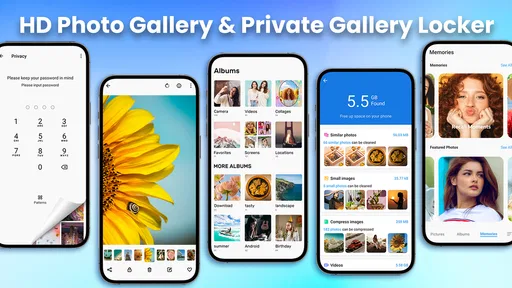
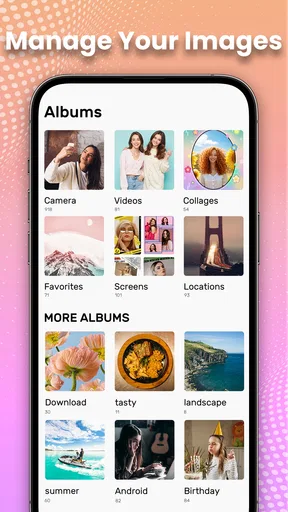
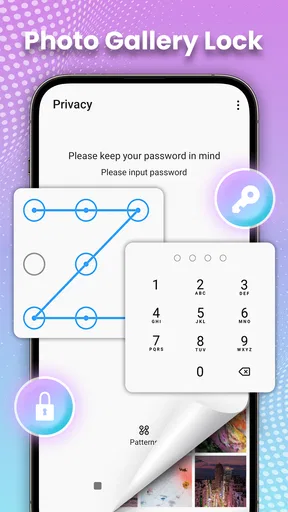
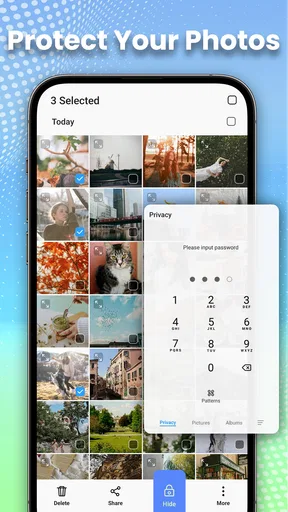
 Analysis by AppCompare
I tend to notice a photo gallery app most when I need to find one specific picture in a crowded camera roll. Gallery - Photo Gallery, Album is aimed at that everyday problem: keeping photos and videos easier to browse, arrange, edit, and keep private. I see its appeal as practical rather than professional. It is for people who want a more managed place for personal media, not a replacement for a dedicated photo editor or a full backup plan.
A trust question worth approaching carefully
With a gallery app, convenience and privacy sit close together. The app may be used for family pictures, travel clips, screenshots of documents, or images someone would rather not leave in the general camera roll. That makes it sensible to think about what the app visibly lets you control, and to avoid treating a “private” feature as proof of broader data-handling practices. I would use the available controls deliberately and check the choices presented on my own device before adding especially sensitive material.
The app is made by iMediaStar and sits in the photography category. It is free to install, with optional in-app purchases listed from $1.99 to $9.99 per item. Its age rating is Everyone. Those details make it easy to try without paying upfront, but I would still look carefully at any purchase screen and decide whether a paid item solves a need I actually have.
What to check before trusting a private album
The app’s private vault is presented as a way to keep selected photos away from ordinary browsing, with password protection. That can be useful when you lend your phone to someone to show them a picture, or when you want personal images separated from casual scrolling. My practical advice is to test the flow with a non-sensitive image first: learn how something enters the vault, how you get it back, and what happens when you close and reopen the app.
A password-protected area is a user-facing control, not a reason to assume every possible privacy question is settled. Before moving anything important, I would check the app’s permission requests and make choices that fit how I use it. If a prompt asks for access I do not understand, I would pause rather than approve it automatically. It is also sensible to keep a separate copy of anything irreplaceable, instead of making a private vault the only place it exists.
Small habits that prevent larger photo-library headaches
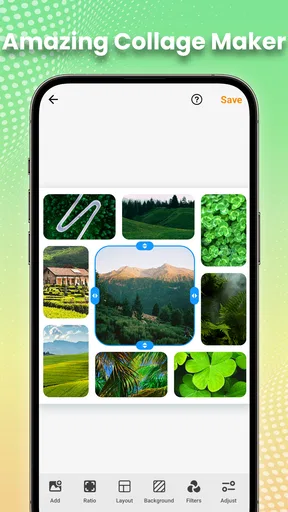
Albums work best when they follow a simple rule. I would make a few clear groups—such as receipts, family events, or trip highlights—rather than creating a new album for every handful of images. Too many narrow folders can make browsing slower, while a small set of useful categories makes it easier to put a picture away and find it again.
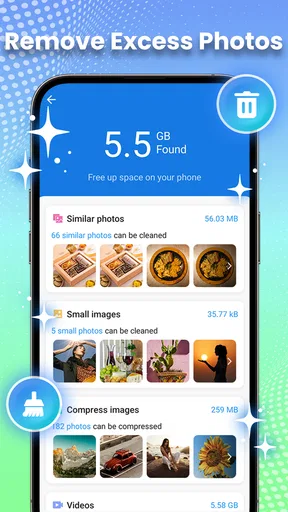
For a mixed camera roll, I would also use albums as a layer of organization rather than moving every image into a complicated filing system. A screenshot you need temporarily, for example, can go into a practical album and be removed later. That keeps the collection useful without turning photo management into another chore. Before deleting or relocating anything, I would check how the app handles that action and whether the image remains available in the phone’s usual photo locations.
Worth Reading Before You Choose

Flipboard Shows What News Apps Must Do Beyond the Feed

Switching to Android Auto Means Rethinking Your Driving Routine

Google Calendar Makes a Crowded Week Easier to Manage

Ludo King Makes the Most of the Minutes Between Plans

Baby Panda World Brings Quick Play to Modern Phones, but Its Game Library Feels Busy

ESPN’s Live Game View Makes Following Close Games Easier
The listing describes organization, editing, and hiding as central uses, and the app has a 4.7 average from around 40,000 ratings, with more than 5 million installs. Those figures suggest that many people have tried it, but they do not tell me whether its particular workflow will suit your habits. I would judge it by how quickly it handles your own library and whether its privacy controls are clear enough for you.
Why This Gallery Stands Out
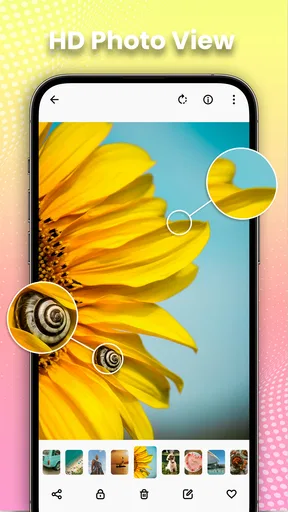
First off, let’s talk about the interface. The Gallery - Photo Gallery, Album app has a clean, sleek design that makes navigating through your media a breeze. Unlike other gallery apps that can feel cluttered, this one keeps things simple and intuitive. You can easily swipe through your photos and videos without any lag, which is a huge plus.
Features That Make Your Life Easier
Now, onto the features. This app offers a variety of options that make organizing your photos not just easy, but actually fun. You can create albums to categorize your pics, and the app even suggests smart albums based on location and time. This means less time searching for that one picture you took at the beach last summer.
Another feature I love is the search functionality. You can search for photos by date, location, or even by the type of content. It’s like having a mini Google for your gallery!
Privacy and Security
In today’s world, privacy matters more than ever. This app provides a secure environment for your photos. It offers a private vault feature where you can store sensitive photos that you don’t want anyone else to see. It’s password-protected, so you have complete control over who gets access.
Editing On the Go
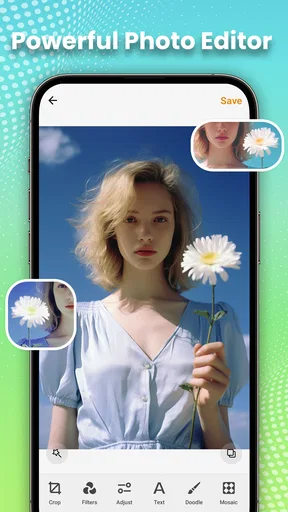
If you enjoy editing your photos before sharing them on social media, you’ll appreciate the built-in editing tools. They’re not as extensive as those in professional editing apps, but they’re perfect for quick fixes. You can crop, apply filters, adjust brightness, and more. The best part? It’s all super user-friendly.
And if you’re into creating slideshows, the app has a simple tool for that too. You can select your favorite pics, add some music, and voila, you’ve got a slideshow ready to share with your friends and family.
Sharing, backups, and where this app fits
Speaking of sharing, the app makes it incredibly easy to share your memories. Whether you want to post a photo on Instagram or send a video to your family group chat, this app has you covered. You can share directly from the app to various social media platforms or messaging apps.
For those who like to keep their memories offline, there’s a backup feature as well. You can backup your photos and videos to a cloud service of your choice, ensuring nothing gets lost.
Here is the trade-off I would keep in mind: a gallery’s backup option is not automatically the same thing as a complete, verified archive. If a photo matters, confirm that the copy exists in the destination you chose before deleting the original or relying on it as your sole copy. I would also avoid assuming that hiding an image and backing it up are the same workflow; check where a vaulted item is stored and whether it is included in any backup you use.
For an ordinary day, imagine taking pictures of a school event, a few screenshots of directions, and a short family video. I would first use date or location search to narrow down the event, then make a compact album of the images worth keeping. Quick cropping or brightness adjustments can tidy a picture before sharing, while the vault is better reserved for a small number of genuinely private items. That sequence is more useful than trying to organize every file immediately after taking it.
Compared with the gallery already on a phone, this app makes sense if its album suggestions, search, editing, and private area give you a more comfortable way to work through your collection. A default gallery may be the better choice if you prefer fewer apps and already like its organization. For heavier edits, I would use a dedicated editor; for long-term copies, I would rely on a backup service I understand and verify. This app’s strength is bringing common browsing and light-management tasks together, not replacing every tool around photos.
Who will appreciate it—and who may not
I think it is a good fit for someone whose camera roll has become hard to navigate, who wants a few useful albums, and who often makes small edits before sharing. It may also suit a person who wants a password-protected place for selected images, provided they are comfortable checking the app’s controls and keeping separate copies of important files.
I would skip it if you need a professional editing workspace, highly detailed library-management options, or a privacy guarantee based on policies and controls you have not personally reviewed. It may also be unnecessary if your phone’s existing gallery already handles search and albums in a way you like. Adding another place to manage photos only helps when it reduces friction rather than creating a second library to maintain.
Version, cost, and a sensible trial
The current version is 1.9.7, and it requires Android 6.0 or later. I would start with a small, low-stakes group of pictures and try the tasks that matter most: find an older image, create an album, make a basic edit, and test the private area. That gives you a better sense of the actual workflow than moving your whole collection at once. Since the app is free to install and offers in-app purchases, I would use it first and consider spending only if a paid item clearly adds something I want.
Wrapping It Up
All in all, the Gallery - Photo Gallery, Album app is a fantastic tool for anyone who loves taking and organizing photos. It’s got a user-friendly interface, a wealth of features, and it keeps your memories safe and secure. If you’re looking for a way to keep your photo collection in check, give this app a try. You might find it’s just what you’ve been missing!
So, what are you waiting for? Go ahead and download it to see for yourself how it can transform the way you manage your digital memories!
My more cautious recommendation is to try it as an organizer first, then decide whether its private vault and other tools fit your comfort level. Keep important photos backed up independently, review access choices when they appear, and do not pay for extras until you know what you need. For everyday browsing and light organization, it is worth a look; for deep editing or a carefully managed archival system, I would pair it with more specialized tools.
Pros
- User-friendly interface with intuitive navigation.
- Supports multiple photo and video formats.
- Includes robust editing tools for enhancements.
- Efficient photo organization with albums and tags.
- Seamless integration with cloud storage services.
Cons
- Some features require in-app purchases.
- Occasional ads disrupt the user experience.
- Limited customization options for album covers.
- Syncing with cloud services can be slow.
- Lacks advanced photo editing functionalities.
FAQs for Gallery - Photo Gallery, Album
What features does the Gallery - Photo Gallery, Album app offer?
The Gallery app offers a variety of features to organize and manage your photos and videos, including customizable albums, a photo editor, and a secure vault for private images. It supports multiple formats and provides a smooth interface for quick navigation. Users can also enjoy slideshow options and easy sharing capabilities.
Is Gallery - Photo Gallery, Album app free to use?
Yes, the Gallery app is free to download and use. However, it may offer in-app purchases or ads to support advanced features or remove advertisements. It’s a good idea to check the app’s description in the store to understand any potential costs involved.
How does the app ensure the privacy and security of my photos?
The Gallery app includes a secure vault feature where users can store private photos and videos with password protection. This feature ensures that only you have access to those files, enhancing privacy and security. Additionally, the app follows standard data protection practices to safeguard your content.
Can I edit photos directly within the Gallery app?
Yes, the Gallery app provides built-in editing tools that allow you to enhance your photos directly. You can adjust brightness, contrast, and saturation, apply filters, crop images, and more. This makes it convenient to refine your photos without needing additional apps.
Does the Gallery app support cloud backup for photos and videos?
The Gallery app may offer integration with cloud services for backup and synchronization, allowing you to securely store and access your media across devices. It’s advisable to review the app’s settings or documentation to see which cloud services are supported, if any, and how to enable them.


